External checks for your self-hosted stack.
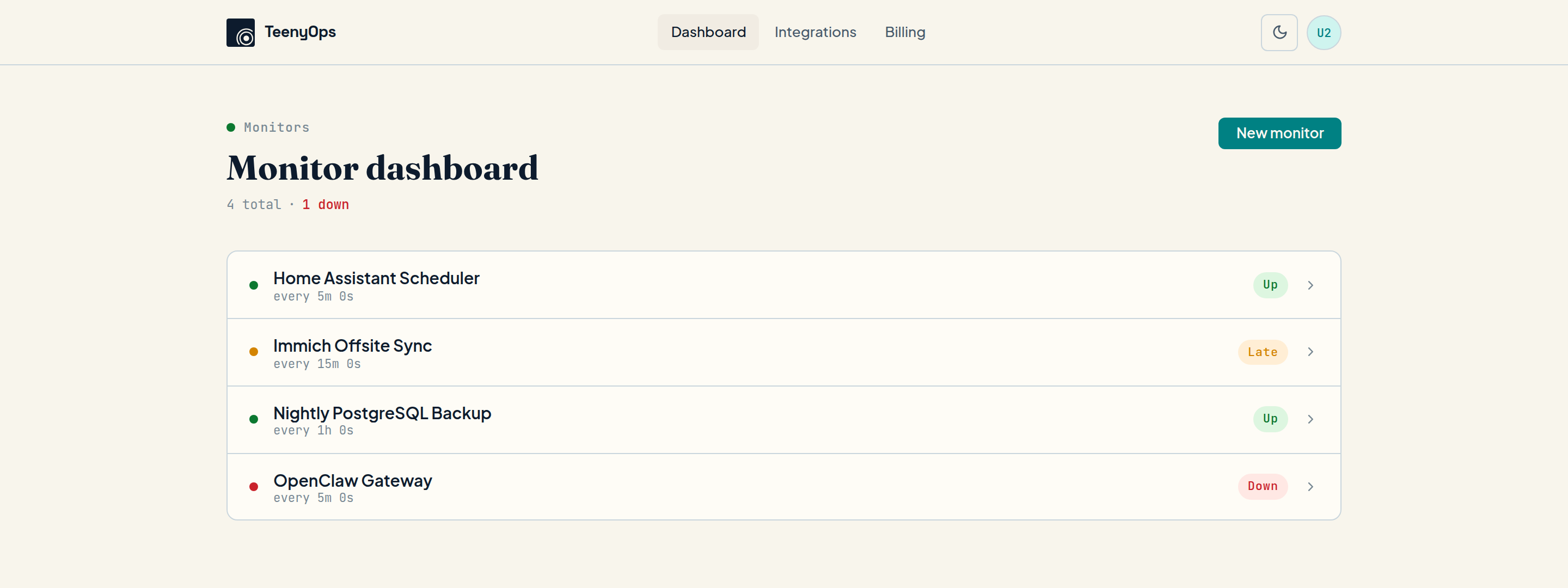
TeenyOps watches from outside your network so backups, cron jobs, OpenClaw, and other always-on services do not fail silently. Add one heartbeat and know when something stops reporting before you discover it the hard way.
Get started free
Continue with
Built for
Homelab
Homelab operators
Your dashboard cannot be the same machine that tells you it died. TeenyOps gives your self-hosted stack an external trust layer.
Assistant
OpenClaw users
OpenClaw feels like an assistant, but it still depends on an always-on gateway, channels, and background processes. TeenyOps helps you know when that assistant is no longer there.
Jobs
Quiet critical jobs
Backups, syncs, reports, importers, and maintenance scripts rarely break loudly. Heartbeat monitoring catches the absence before it becomes a real incident.
One heartbeat.
One outside check.
Add a curl anywhere you need confidence. If the work finishes,
it checks in. If it stops checking in, TeenyOps catches the silence from
outside your network and records what happened next.
Why TeenyOps
Offsite
It works from outside your network
If your homelab loses power or your assistant gateway falls over, the monitor still lives somewhere else. That is the whole point.
Simple
Setup stays boring
Each monitor gets a unique ping URL. Add one curl to cron, systemd, OpenClaw-side checks, or any process you want to verify. No agent rollout required.
Visible
You see delivery, not just intent
TeenyOps does not stop at “alert sent.” The delivery timeline shows what was queued, what failed, what retried, and what actually made it through.
Reliable
Fallback is built in
If one channel fails, TeenyOps can keep going in order. The result is a monitor that helps you trust the alert path instead of hoping for it.
See for yourself
Delivery
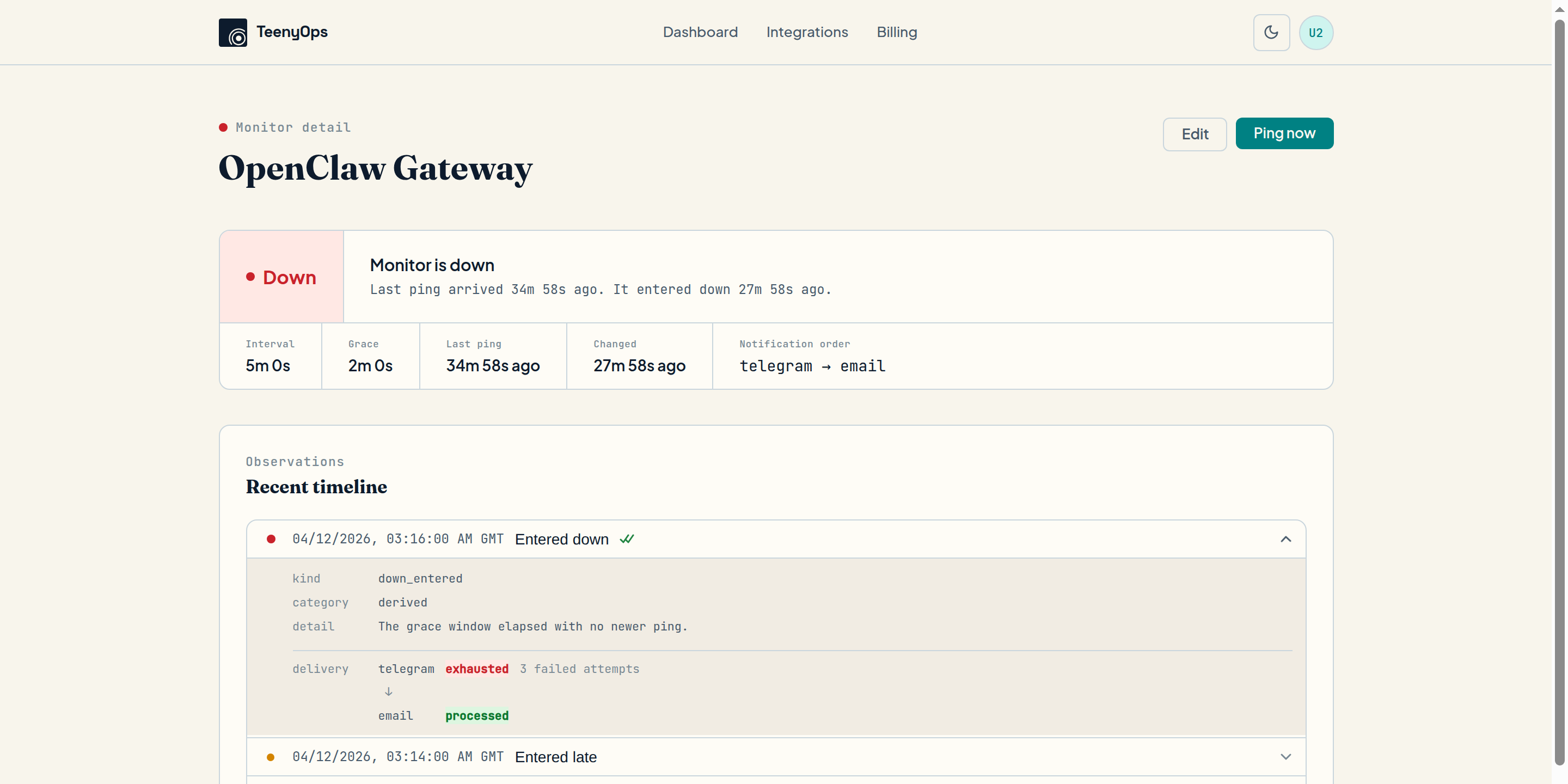
Every attempt logged, not just "sent"
When Telegram fails, you see the exact error and retry count. When email steps in as fallback, that's logged too — with timestamps.
Fallback
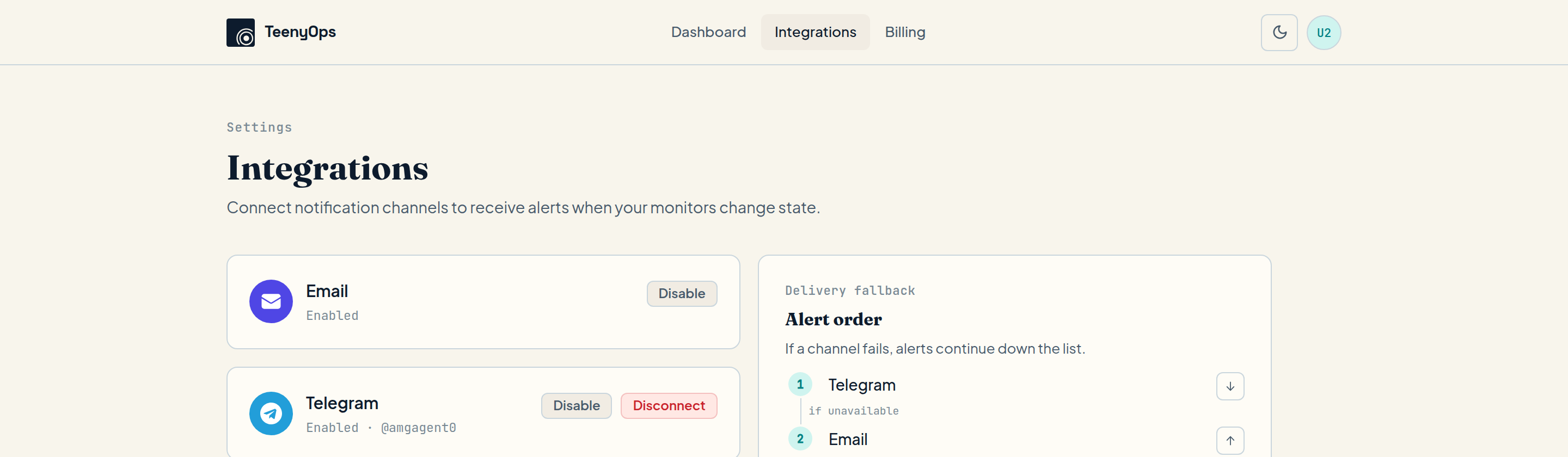
Alert order you set, not we assume
Connect two channels and choose which goes first. If it fails, TeenyOps works down the list. No YAML, no config files.
Pricing
Free
Prove the setup on one important service
- 1 monitor
- Email alerts
- Full delivery timeline
Get started
Continue with
Hobbyist
For the services you really need to hear from
- 10 monitors
- Email + Telegram alerts
- Fallback delivery
- Full delivery timeline
Get started
Continue with